How the document & card printing flow works
Every step is managed by the SDK. Your application calls SDK methods and receives results — the device interactions happen inside the platform layer.
Check printer readiness
Before starting a print-required flow, the SDK confirms the printer is online, paper is loaded, and no faults are active. Paper-low and cover-open states are surfaced before the customer reaches the print step.
Build the document payload
The application assembles the document from transaction data — amount, reference, timestamp, account details, or service confirmation. The SDK accepts a structured template payload and handles the rest.
Send the print job
The application calls a single SDK method. The platform handles the attached thermal printer's protocol, command set, and device-specific communication — the application does not need to know the printer model.
Confirm or retry
The SDK returns a job result — success, failure, or timeout. Where the printer spec allows, the SDK retries automatically. Controlled failures are handed back to the application with a clear error state rather than a silent hang.
Log the outcome
Print result — success or failure — is logged against the transaction record and reported to the management portal. Operations teams can see print fault rates per device across the fleet without visiting the kiosk.
What the SDK handles
Hardware
- Thermal receipt printers (multiple vendor families)
- Thermal paper management — low paper and paper-out detection
- Printer health status — online, fault, cutter, cover state
- Print job queuing and session-level retry handling
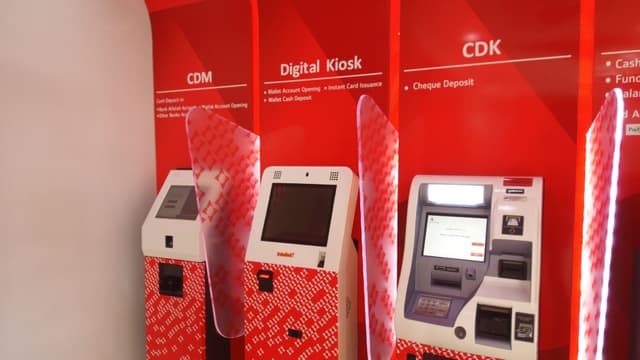
- Instant card issuance modules — Mastercard, Visa, and UnionPay
- SIM printers — physical SIM issuance at point of registration
Integrations
- Transaction logging — every print and card job linked to a transaction record
- Real-time fleet monitoring — printer and card device health visible across the estate
- Fault alerting — paper-low, card-out, and device-fault states surfaced before customer impact
- Core banking and BSS backends — transaction context pulled for document and card generation
- Document template engine — structured payloads, not raw printer commands
- Receipts, invoices, queue tickets, KYC slips, and account summaries across all sectors
Deployed with
Production deployments running document & card printing flows in real environments.

du
SIM registration confirmations and service receipts printed across 200+ kiosks. Receipt printing is part of every completed kiosk session on the du network.

Bank Alfalah
Receipts generated at the close of cash deposit, cheque deposit, and bill payment sessions at Digital Branch kiosks.

Bank Al Habib
Live production CDM deployments include receipt printing at session close for every cash and cheque deposit transaction.

Meezan Bank
Cash deposit receipts issued via CDMs. Printer state is monitored as part of the SDK's kiosk health model.
PCFC
Invoice generation and payment confirmation printing at government kiosks, built by Wavetec on the Azimut SDK runtime.