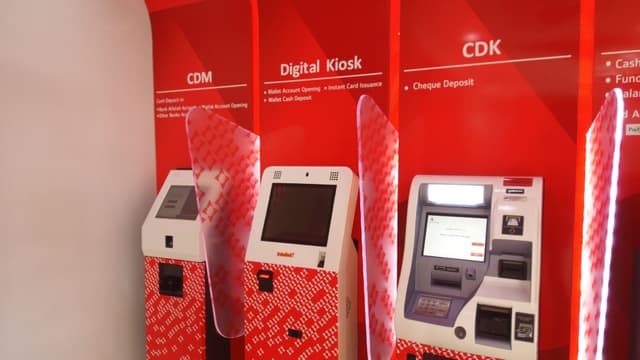
How the account opening flow works
Every step is managed by the SDK. Your application calls SDK methods and receives results — the device interactions happen inside the platform layer.
Customer identification
New or existing customer identified via document scan. SDK parses the document and pre-fills fields where possible.
Biometric KYC
Fingerprint or facial scan captured and sent to the identity verification backend. KYC result passed to the application before the application proceeds.
Account details
Customer completes the account application on the kiosk. SDK manages the session throughout the multi-step form.
Core banking API call
SDK sends the completed application to the bank's core banking system. Handles the synchronous or asynchronous account creation response.
Card issuance or confirmation
On account creation: SDK triggers instant card printing (where the printer is present) or issues a confirmation slip via receipt printer.
What the SDK handles
Hardware
- Document scanner
- Biometric scanner
- Instant card printer (optional)
- Receipt printer
Integrations
- Core banking APIs
- Identity verification backend
- Card personalisation systems
Deployed with
Production deployments running account opening flows in real environments.

Bank Alfalah
Full account opening at Digital Branch kiosks.

Blue Jays
Instant Mastercard issuance for cash deposited at kiosks.