
Floor-standing
A dedicated place to borrow.For branch self-service areas, with room to arrange materials and an integrated screen, reader and receipt printer.

Self-service for borrowing, returning and joining.
Three machine formats. Your library software.
Azimut middleware and Satellite underneath.
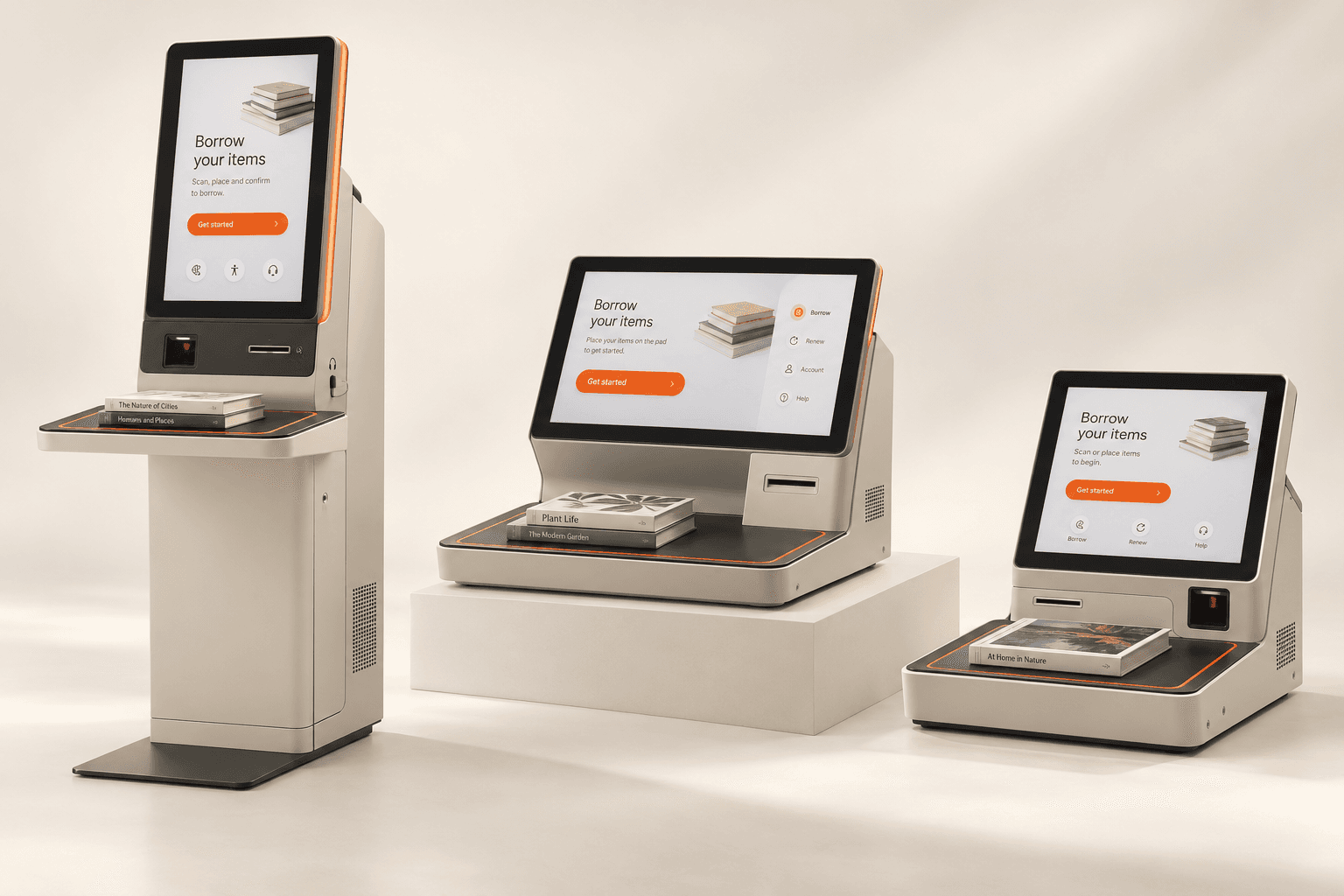
Choose the enclosure around the branch, rather than rebuilding the software around the enclosure.
For branch self-service areas, with room to arrange materials and an integrated screen, reader and receipt printer.
A smaller installation for service counters and desks, with a separate reading area and serviceable peripherals.
A reduced footprint for smaller locations, with the same library services in less space.
Connect library services, payments and identity workflows through Azimut middleware. Manage the machines and application releases with Satellite.
Borrowing, returns, account access, assistance and receipts. Connect circulation decisions to your library system and shape the experience around your patrons.
One hardware-agnostic API between the application and supported devices. Connect device control, session handling and printing through a common interface.
See your device fleet, review health and supported diagnostics, manage application releases and inspect reported installation outcomes from a central workspace.
Give patrons a clear way to borrow, return and manage their library services, with guidance and help throughout.
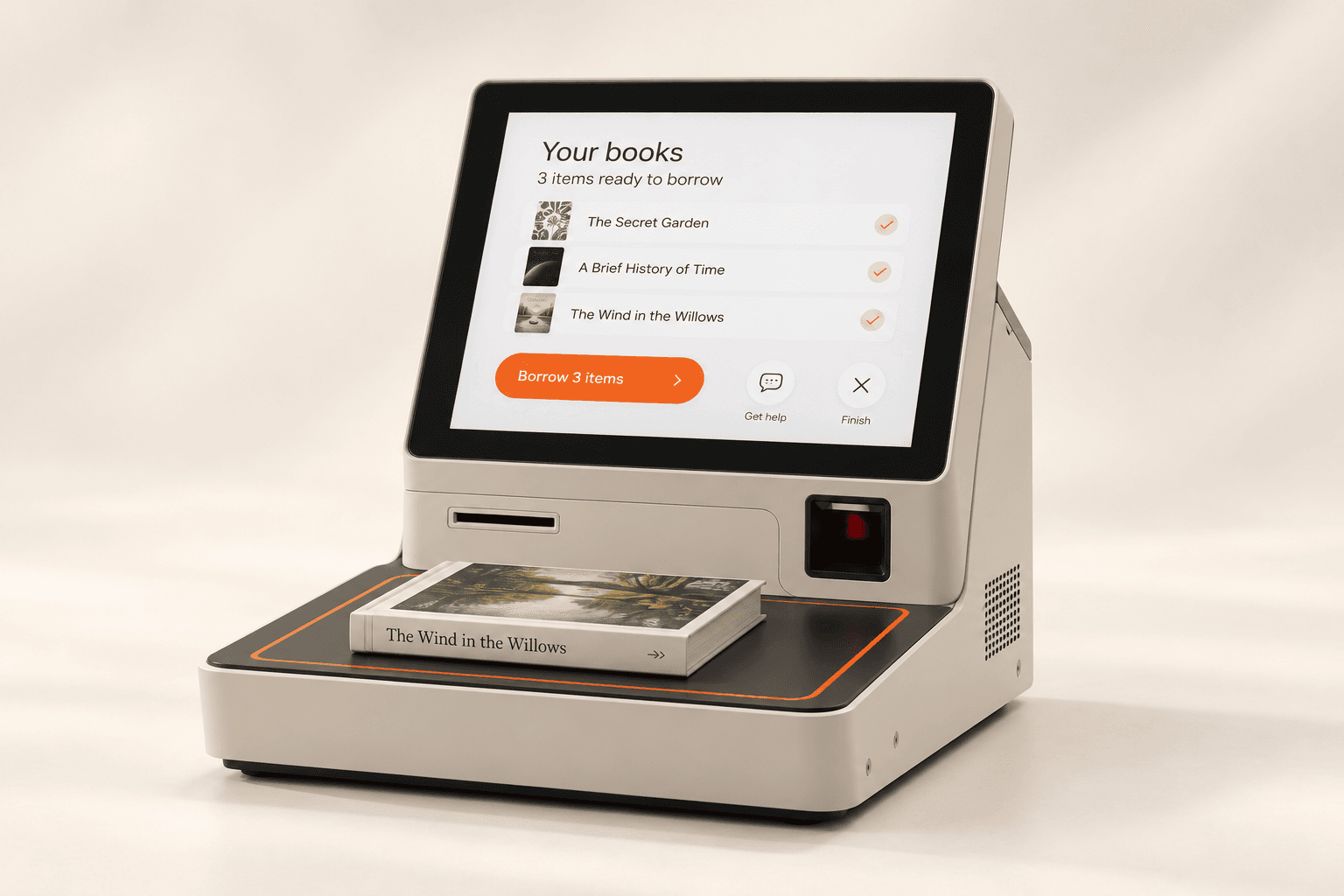
Bring borrowing, returns and account services into one interface. Guide people from their library card to a clear result for every item, with help always within reach.
Keep patron accounts, loans, due dates and holds connected to your library system.
Organize staff tools around roles and branch responsibilities, with sign-in and activity records.
Manage receipt content, service messages and promotions across the branch network.
Use Satellite for machine health, diagnostics and application releases alongside the library workspace.
Start a service on your phone and use a QR code to continue at the kiosk, without entering the same details again.
Start a membership application, choose a service or prepare a fee payment on your phone. Keep your progress ready for your visit.
Present your handover QR code to the kiosk. Continue your service with your details already in place.
Scan materials, present a document, make a payment or print a receipt. Continue on your phone for the steps that do not need the machine.
Help patrons borrow and return materials, with clear guidance and staff assistance throughout.
Scan a physical or digital library card. The library system checks the account and borrowing permissions.
Place materials on the reader and see a clear borrowing or return result for each item.
Offer printed or electronic receipts, show next steps and clear personal information when the session ends.
Request staff assistance directly from the kiosk when you need help.
Connect more library services through the same platform, from fee payments to new memberships.
Bring fines, fees and paid services into the self-service journey through payments and POS integration.
Connect membership applications with identity capture, KYC and your library’s account-opening workflow.
Give staff a connected workspace for batch returns, holds and transit handling.
Shape the patron journey around touch and tactile navigation, private audio and language options.
Plan the service around your branches, prepare your teams and manage the rollout with Satellite.
Build the service around your collection, branch spaces and patron needs.
Connect your library system, kiosk devices and staff workflows.
Prepare branch teams, roll out application releases and manage the fleet through Satellite.
Start with your collection, your workflows and the equipment you want to keep.