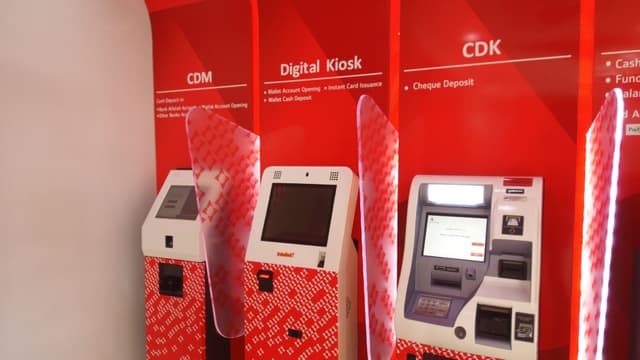
Biometric identity verification at the kiosk, without writing scanner code
The SDK integrates fingerprint and facial scanners, document scanners, and identity backends through a unified API. Your application gets a verified identity result — the SDK handles every device interaction to get there.
How the kyc & identity flow works
Every step is managed by the SDK. Your application calls SDK methods and receives results — the device interactions happen inside the platform layer.
Document or account lookup
Customer presents ID document or existing account reference. SDK reads and parses the document via the document scanner.
Biometric capture
SDK triggers the fingerprint or facial scanner, collects the biometric sample, and manages device session state during capture.
Liveness check
Where the identity backend requires it, SDK submits the biometric for liveness verification before proceeding to the match step.
Identity verification
SDK sends the captured biometric and document data to the identity verification backend. Handles the async result with appropriate session timeouts.
Result and continuation
On success, the KYC result is returned to the application flow. On failure, the SDK surfaces the appropriate message and allows retry within the session policy.
What the SDK handles
Hardware
- Fingerprint scanner
- Facial recognition camera
- Document scanner
- Receipt printer
Integrations
- Identity verification APIs
- KYC compliance backends
- Core banking / carrier systems
Deployed with
Production deployments running kyc & identity flows in real environments.

du
Biometric KYC for SIM issuance at 200+ kiosks.

Bank Alfalah
KYC verification for Digital Branch account opening and transactions.

Asiacell
KYC for SIM issuance at self-service kiosks.