See the whole fleet
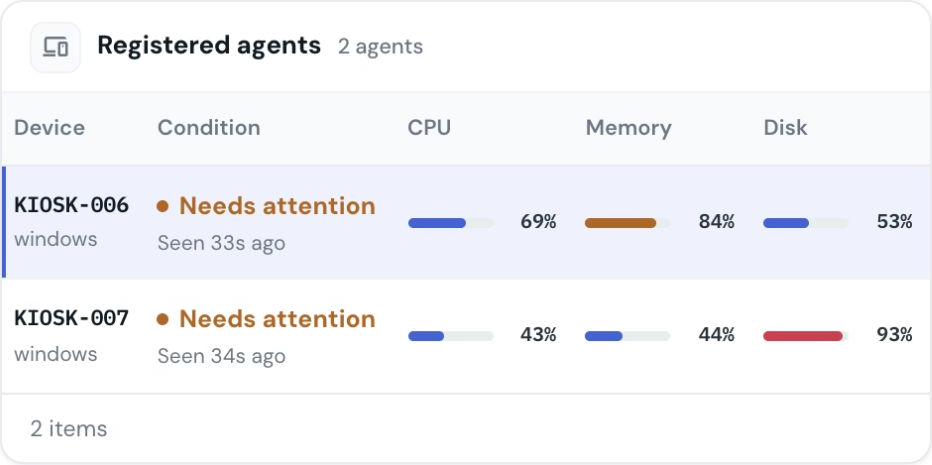
Find healthy, offline and attention-needed kiosks in one view. Narrow the list and move straight into the device that needs a closer look.

Remote kiosk management software
Know which kiosks need attention. Investigate issues and manage application updates across your sites from one operations workspace.
For teams operating self-service kiosks across branches, stores and service locations.
Windows Linux Android
One place to operate
Get a clear starting point for daily checks, incident investigation and software changes. Your team can follow each kiosk without switching between disconnected tools.
Find healthy, offline and attention-needed kiosks in one view. Narrow the list and move straight into the device that needs a closer look.
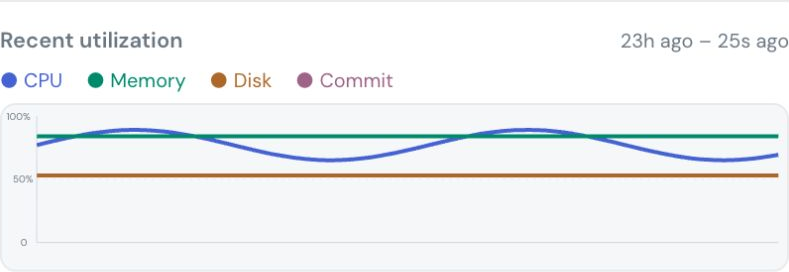
Review resource history, application health, screenshots and logs to give your support team useful context before a site visit.
Keep track of the software on each kiosk. Approve updates, choose the devices to receive them and follow the rollout's progress.
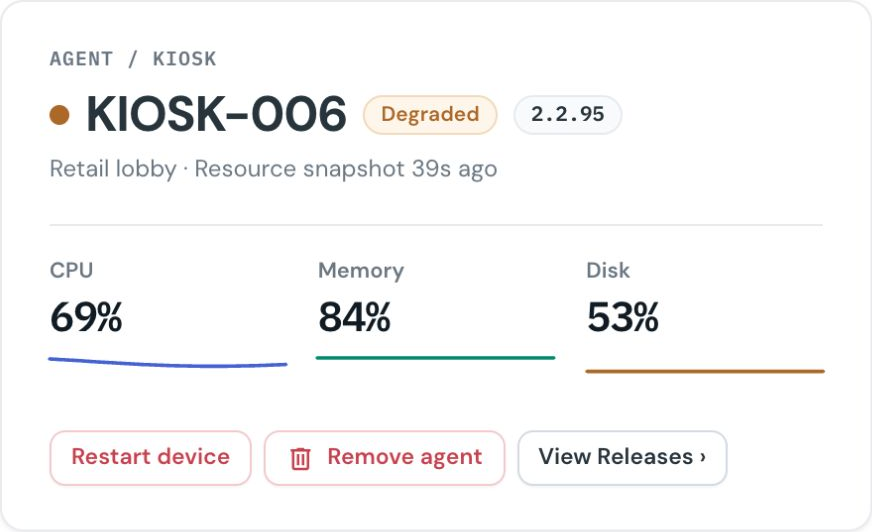
Use supported restart and application controls to respond to issues remotely. See the reported outcome and decide when local assistance is needed.
Give operators access to the devices and packages they manage. Keep administrative responsibilities separate and retain an activity record.
Manage kiosk app pinning and maintenance access on supported Android devices, alongside device status and application deployment.
Available controls depend on the platform, device capabilities and permissions.
Remote diagnostics
See how a kiosk is behaving over time. Review resource usage and application health, then use screenshots and logs where supported to investigate the issue.
That context helps your team choose a remote action or send a technician with a better understanding of the problem.
Walk through a support scenario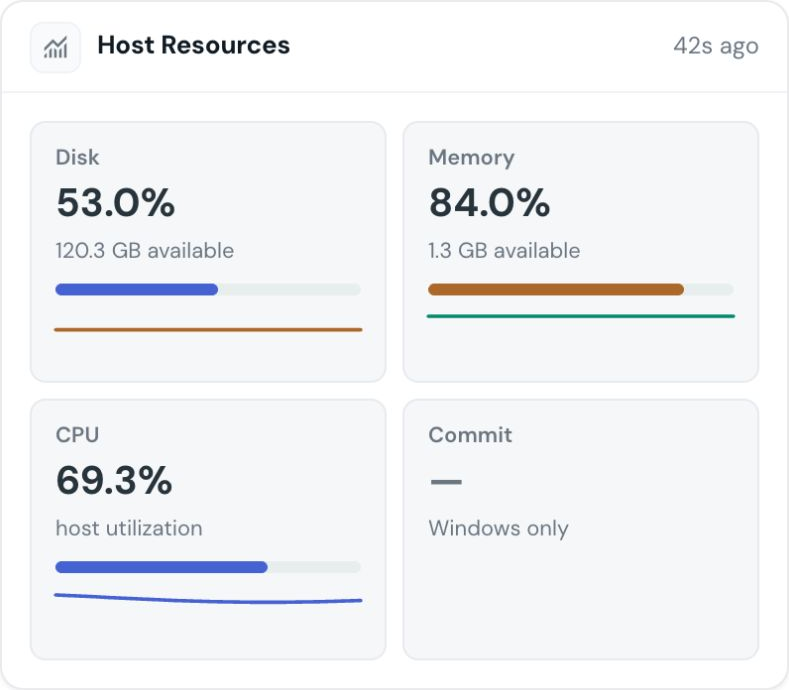
Application management
See the application state reported by each device. Manage releases through approval and rollout, and keep software changes tied to the kiosks that should receive them.
Satellite gives operators a view of deployment progress and reported health so they can follow up on exceptions.
Discuss your update workflowSecurity and control
Keep kiosk security visible alongside device health. Give operations and security teams the context to review software, configuration and device identity changes across the fleet.
Verify the integrity of software packages and signed updates before they are activated. Integrity checks help identify unexpected changes to managed software and give your team a clear reason to investigate an exception.
Use TPM integration on compatible devices to add hardware identity and security posture to the operational picture. Surface changes in a device's TPM identity so your team can review hardware replacement or an unexpected identity change.
Track changes to critical security settings against the device's recorded baseline. Give operators visibility into changes in firewall, remote-access and system security configuration, with context for deciding whether the change was expected.
Connect kiosk security and audit events with your SIEM workflow. Bring device changes into your wider security monitoring so analysts can correlate kiosk activity with other signals and follow the same investigation process.
Scope team access to the devices and packages they manage. Use release approvals and an activity record to keep operational changes deliberate and traceable.
Security capabilities depend on the operating system and device hardware. SIEM integration is configured around your monitoring environment.
Built around self-service
Branch kiosks, retail terminals and service-centre devices need ongoing attention after launch. Satellite helps the operations team keep that work organised while your application serves customers.
Questions
Start with your devices, applications and support workflow.
It gives an operations team a central place to check distributed kiosks, investigate faults and manage software. Satellite brings fleet visibility, device diagnostics and application management into the same workspace.
Satellite supports Windows, Linux and Android kiosks. Available diagnostics, recovery controls and security signals vary by operating system, device configuration and permissions. We confirm the capabilities that fit your fleet during the demo.
Satellite combines software integrity checking, configuration drift monitoring, TPM integration on compatible devices, controlled operator access and an activity record. SIEM integration connects kiosk security and audit events with your wider security monitoring. We review platform support and integration requirements with your team.
Yes. Your team can manage application releases, select target devices and follow reported deployment progress. The rollout and recovery approach is agreed around the platforms and applications in your fleet.
Remote diagnostics and supported recovery controls help your team assess the next action. Hardware faults, connectivity loss and some device states still require local assistance. Satellite provides context for that decision.
Satellite manages kiosk operations and software. The Azimut SDK connects your application to kiosk peripherals. They address different parts of a self-service deployment and can be used together.
See Satellite in action
Tell us what you run and how your team supports it. We will walk through the capabilities that fit your fleet.